 Snowboarding
How to fall and get up
Forward and backward, from any angle, in slow motion.
- Forward: onto knees and forearms
- Backward: onto your seat and back
- What your arms mustn’t do
- Getting up on the heel and toe edge
- Why riders fall, and how to fall less
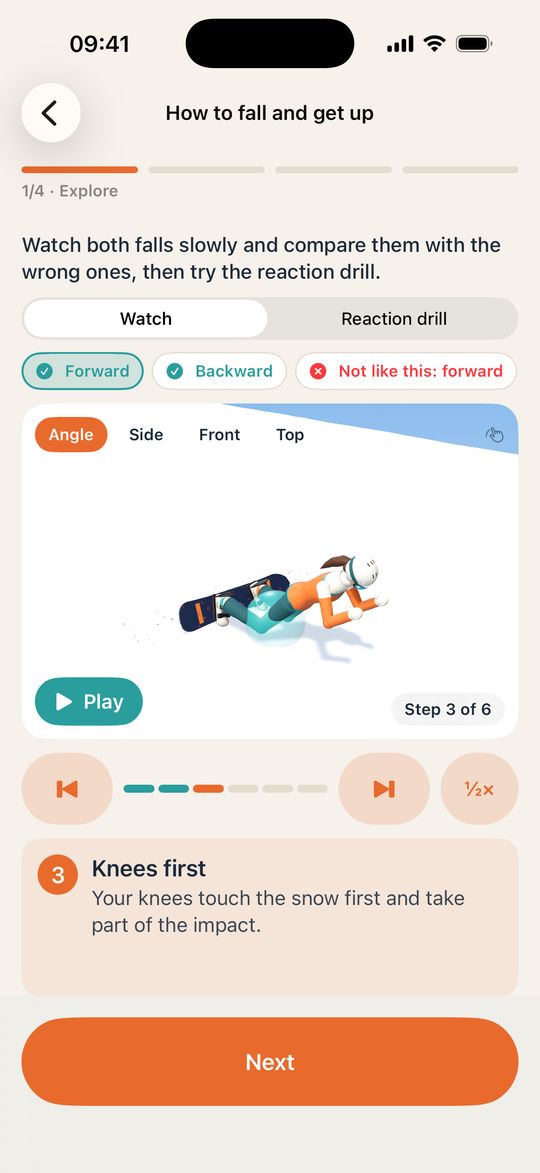
An iPhone app for adult beginners. Lessons show every move in slow-motion 3D. In the game, you ride five courses yourself by tilting your phone.
Coming soon to the App Store. Free to download, one purchase, no subscription.
The game
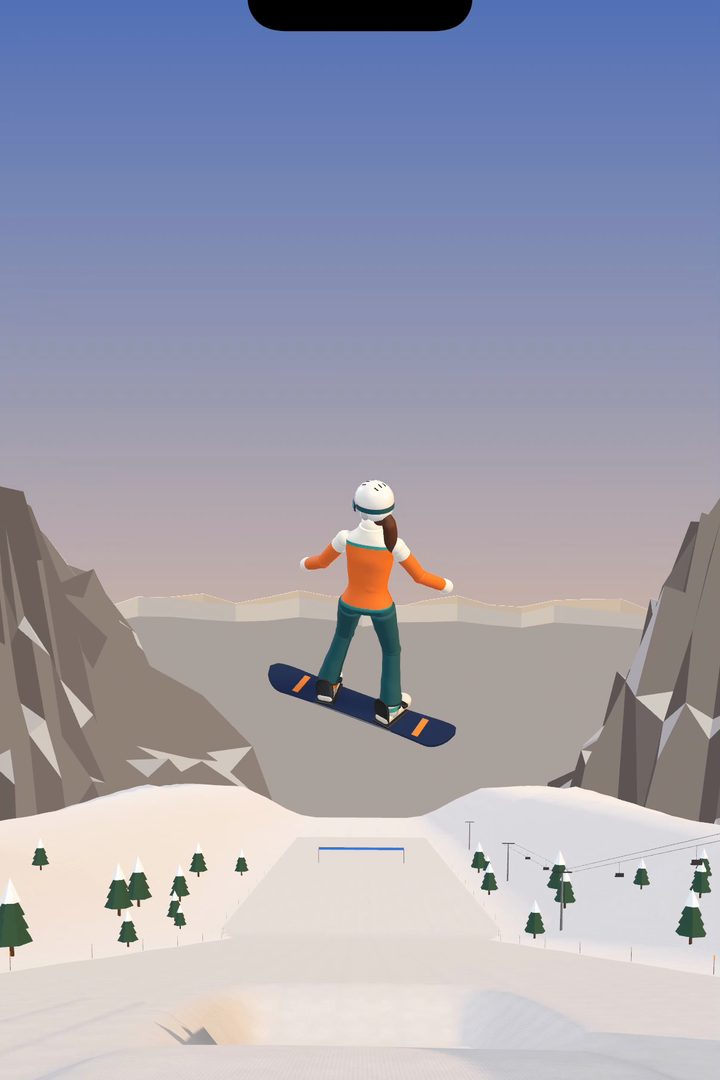
It was hard to build, but we did it: tilt your iPhone and the board goes on its edge, carves an arc and takes off from a kicker. Five courses: groomers, a glacier, a park with a pipe, powder and a couloir.
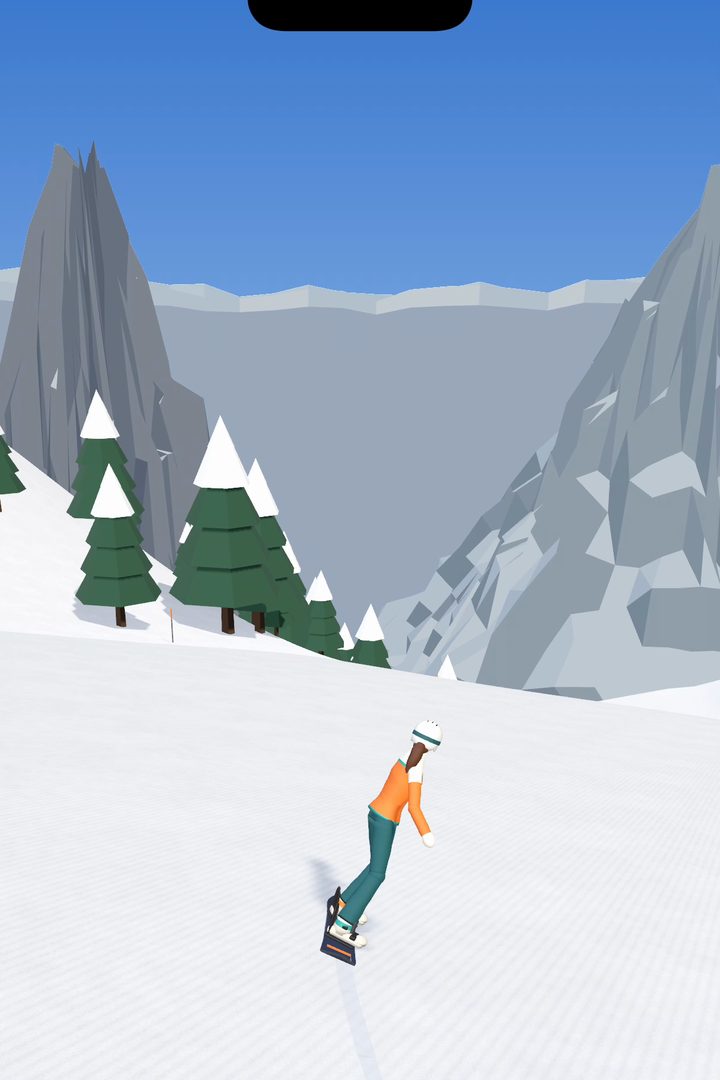
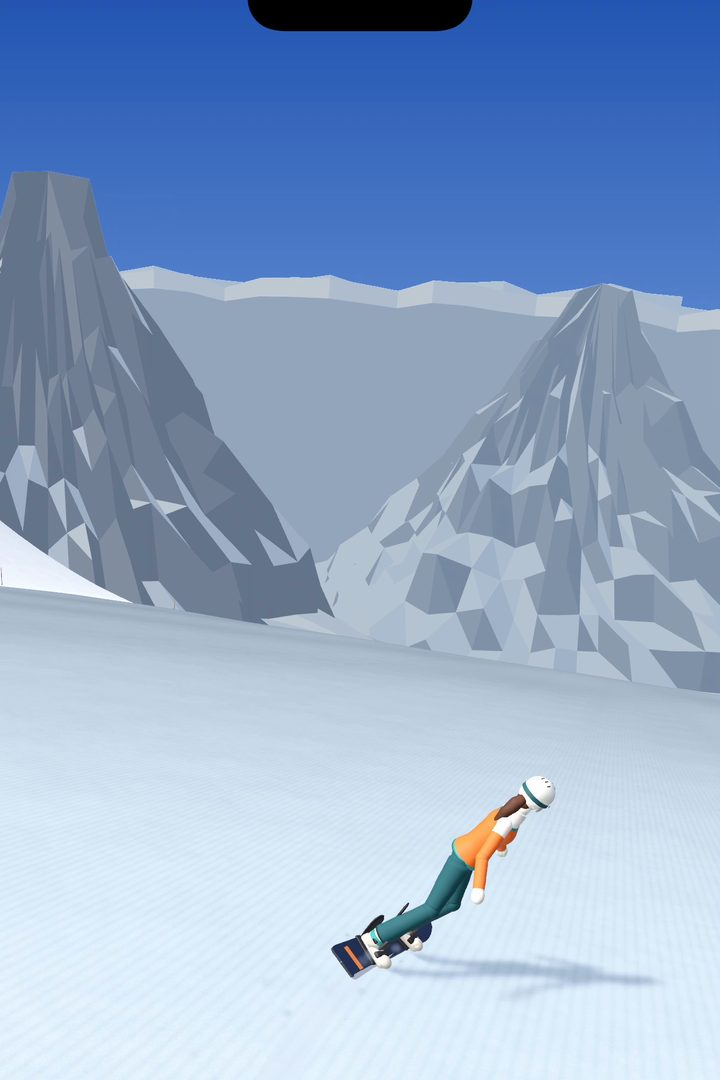
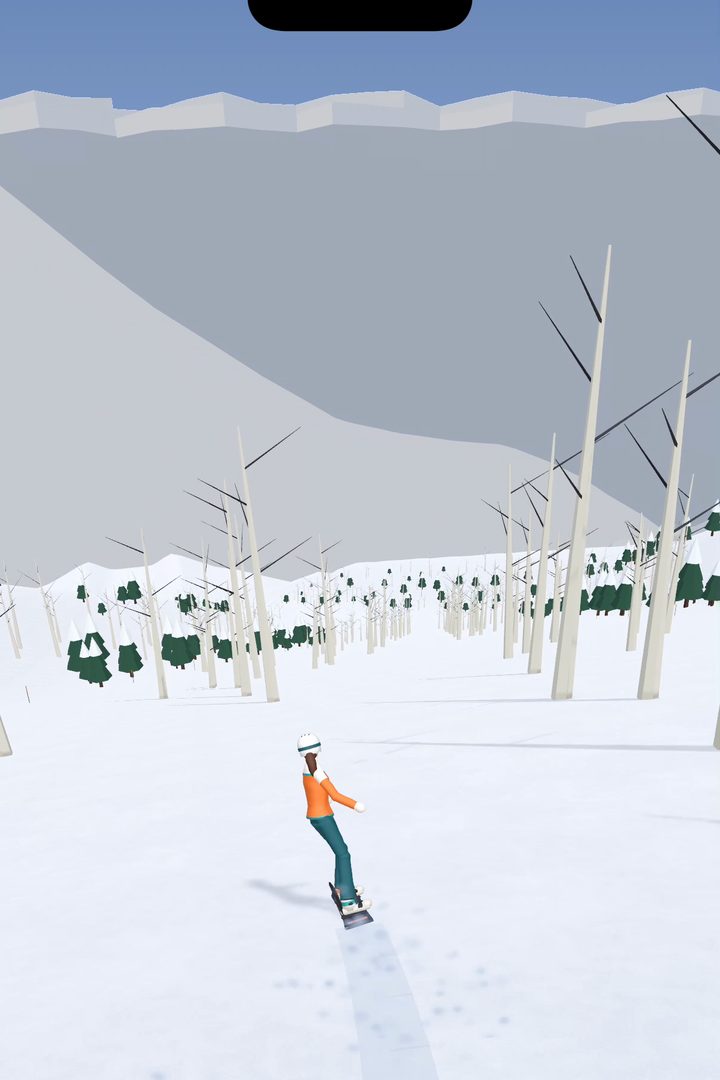
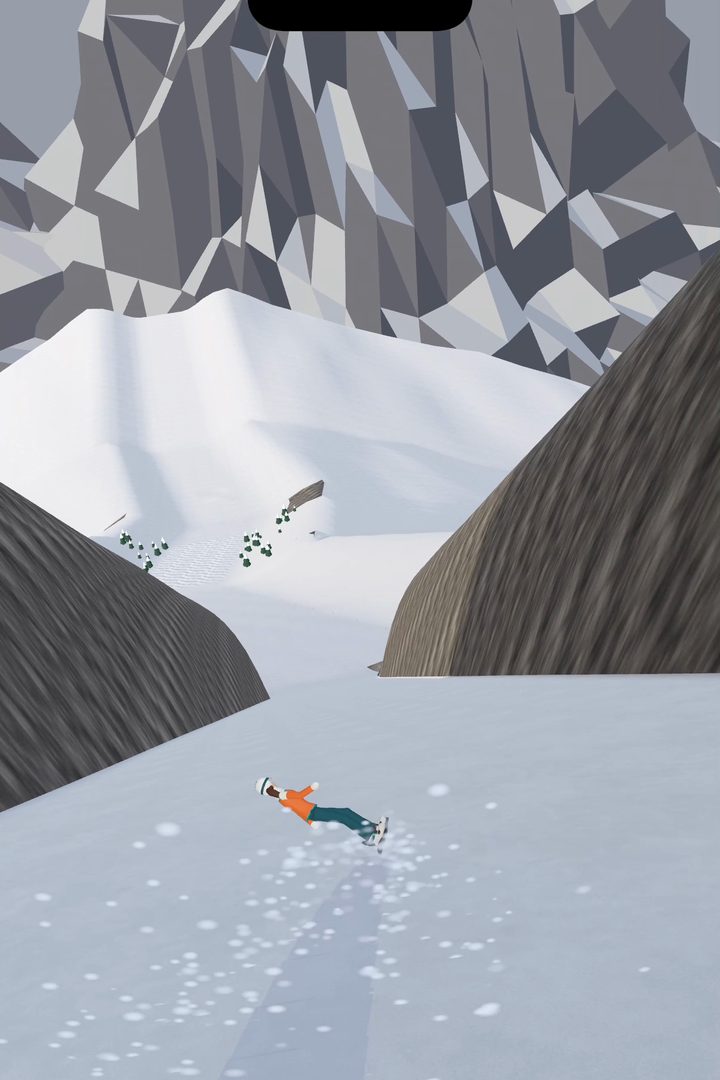
The board goes on its edge and turns. The more you tilt, the tighter the turn.
A smooth tilt carves and keeps your speed. A sudden one skids and slows you down.
At speed the board lies right over. At low speed it can’t, as on a real slope.
A quick touch of the screen lightens the board: fast edge changes, short turns.
Hold a finger on the screen, then let go: that’s a jump.
Tilt to spin and flip, hold a finger to grab. A clean landing scores.
Simplified physics, invented courses. One demo run is free; riding yourself comes with the purchase.
The lessons
What you do with your body, how the board responds, and what happens on the slope.
Move weight, flatten a foot, bend your knees.
The edge grips or lets go. The nose drops. The board twists.
The track, the speed and the direction change.
Note it and take one cue to the slope.
Slow motion
Pause on any step, slow it to half speed, change the view. Here is half a turn:
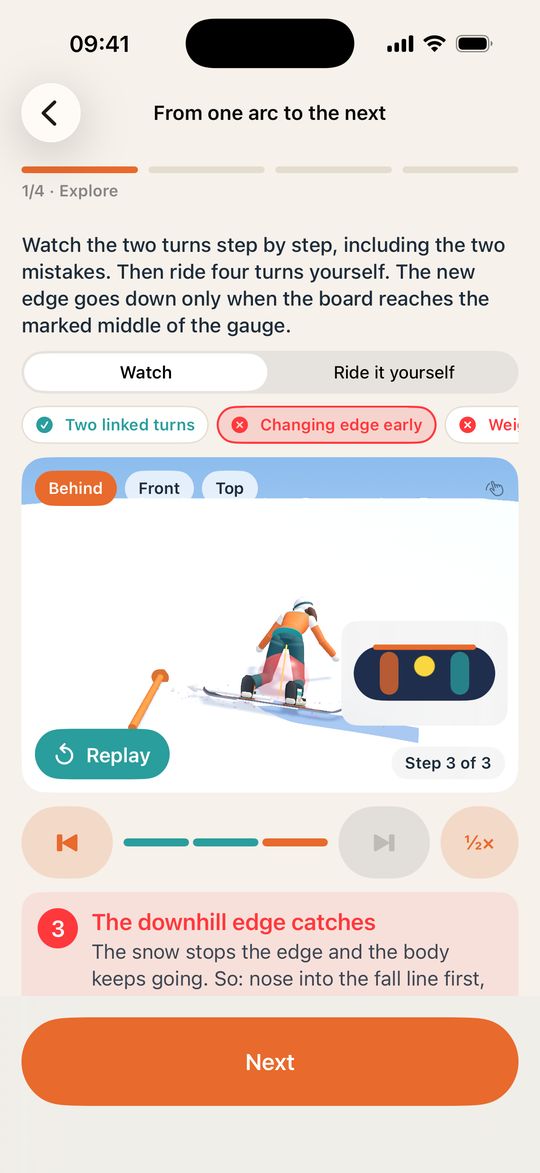
Mistakes
Common mistakes are shown next to the correct move.
Try it
In the lessons you steer each turn yourself on a model, with a finger or by tilting the phone. A ring shows where the ball goes next.
Try it here: drag the ball
toes
heels
A simplified model for this page. In the app, it steers the rider.
Safety
Forward and backward, from any angle, in slow motion.
Getting on, riding and getting off, with the rear foot free.
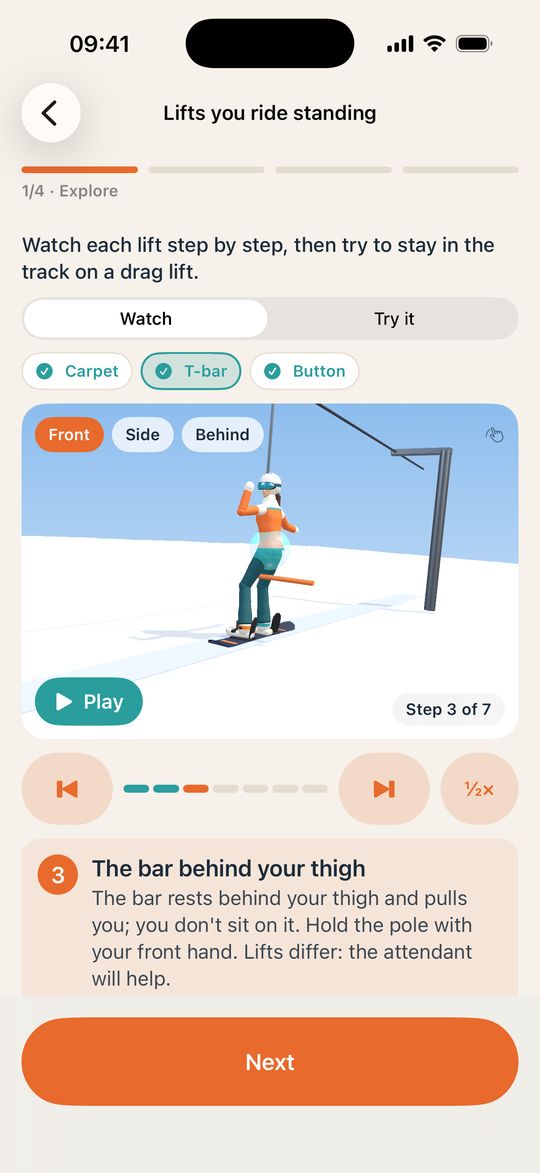
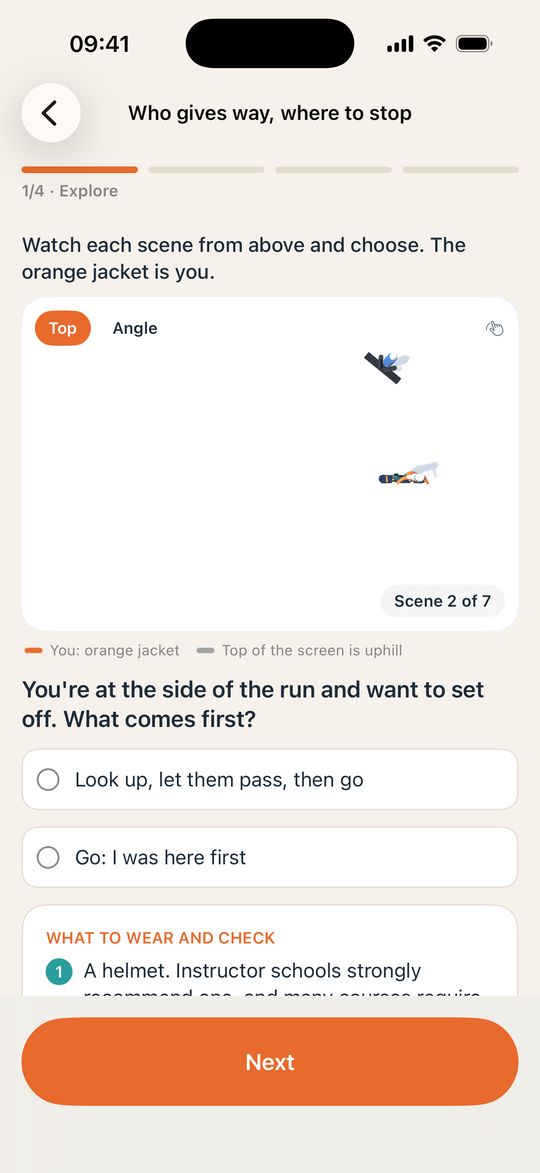
Situations that cause collisions. Choose what you would do.
Curriculum
The first 10 lessons are free, including everything about safety, falls and lifts. The other 13 come with the purchase.
Rules on the slope, how to fall and get up
The board, your stance, moving with one foot strapped in
Stand on a moving board and finish with an arc
Getting on, riding and getting off, on every kind of lift
Speed and direction on one edge, both feet strapped in
From an arc on one edge to changing edges
Speed through shape, uneven snow, a cleaner arc
Short timed drills, with no board strapped on. A double vibration marks the next step, so you don’t have to watch the screen.
Then note what you noticed. Your cues stay in My tips.
Questions
Yes: five courses, steered by tilting the phone. One demo run is free, and riding yourself comes with the purchase. It’s a game with simplified physics, not training.
Hold the phone however is comfortable: its position during the countdown becomes neutral. Tilt left or right to put the board on its edge and turn. Tip the top away for more speed. A finger on the screen squats, and letting go jumps. If tilt isn't for you, you can steer with a finger instead.
You can learn what each move is and what it does: how weight moves, why the nose drops, when the edge changes. Feeling it takes snow, so learn new moves with an instructor and use the app to prepare.
Start with level one: the rules on the slope and how to fall and get up. Then the board and your stance, pushing with one foot and your first glides. These lessons are free.
The app teaches this order: weight toward the leading foot, leading foot flat so the nose drops to the fall line, hips to the new edge, then flex and steer with the leading knee and hip. You can watch each step in slow motion and then steer it yourself in the model.
In one common case, the new edge goes down while the board still points across the slope. The snow stops the edge and the body keeps going. So: nose into the fall line first, edge change after. The app shows this mistake next to the correct move.
Forward, onto your knees and forearms. Backward, onto your seat and back. The falling lesson shows both in 3D, along with what your arms mustn’t do and how to get up. No technique can guarantee a safe fall, and a helmet is strongly recommended by instructor schools.
The app asks which foot leads. If you don’t know yet, it shows an example stance, clearly labeled, and you can change it later. Your writing hand doesn’t decide your stance.
No. It doesn’t use the camera, has no sensors on your board and can’t see how you ride. The score in the steering exercises is about the model only. It isn’t a skill rating.
No. It works offline, with no account, ads, analytics or tracking. Your progress, notes and best scores stay on your iPhone.
iPhone with iOS 18 or later. English, Russian, German, French, Spanish, Italian, Simplified Chinese, Japanese and Korean.
The app is being prepared for the App Store. It will be free to download, with 10 lessons and one demo run. One purchase of $29.99 opens the other 13 lessons and riding all five mountains, with no subscription. Prices differ by country, and there may be a seasonal sale.
Coming soon to the App Store. Free to download, and one purchase of $29.99 opens everything, with no subscription.